Install On Android

Follow the procedure until the end. For some reasons we can't put our application in the Playstore. But our application is sure and secure. You can install it with confidence.

1. Download

Make sure you have enough space if your phone, atleast 100MB.
Download the APK by clicking on the button "Normal APK".
If this APK fails to install on your device, use "Android arm V7 only APK".
If this too doesn't work, use "All versions APK".
If it fails contact the support via email or via the facebook page.
Normal APK (15MB) Android arm V7 only APK (14MB) All versions APK (40MB)

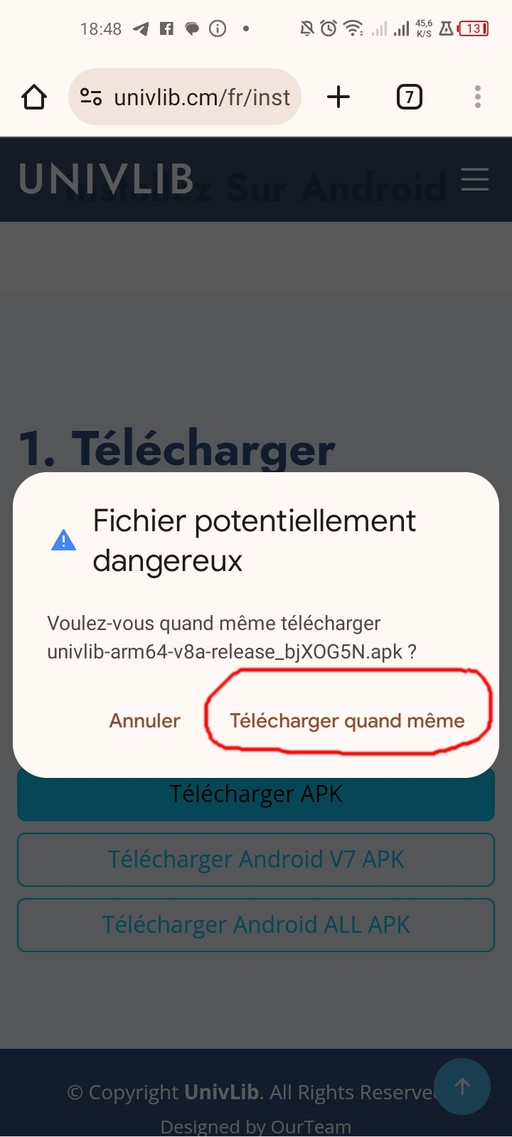
2. Ignore warnings

If you see a warning like in this picture click on the button Download anyway

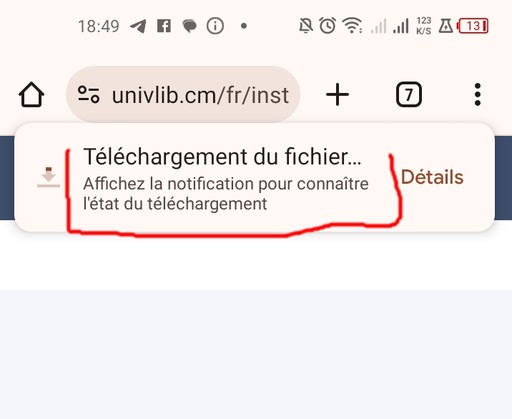
3. Wait

Wait for the download to finish.

4. When download finishs

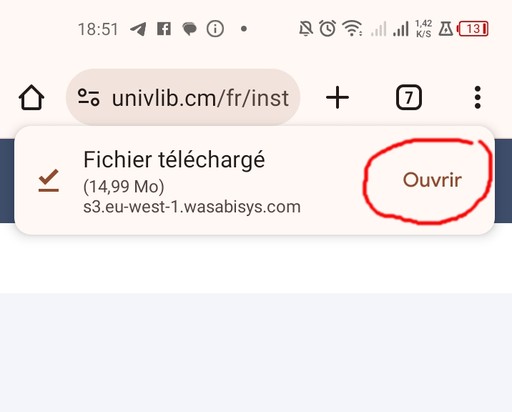
When the download finishes click on the button Open to start the installation. If the installation doesn't start and you see any error related to "Unknown sources" then follow next steps else go back to step 1 and try another APK.

If this popup doesn't appear, click on the right-top menu button then click Downloads. You will see a list of downloads click on univlib....apk

You can also open your file manager and go to the Downloads folder. You will see a list of files click on univlib....apk

5. Unknown sources

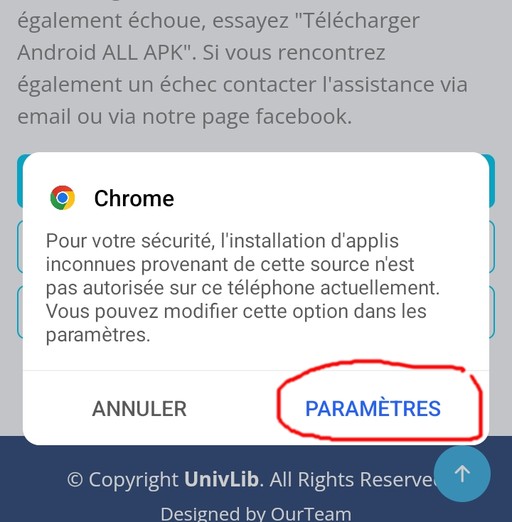
If your see an error like this, click on Settings

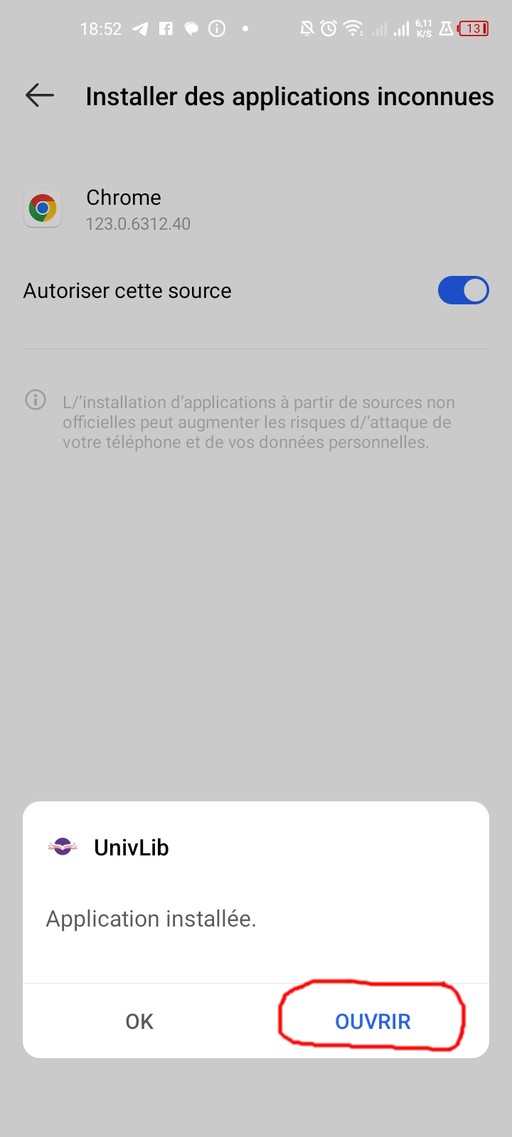
6. Authorize source

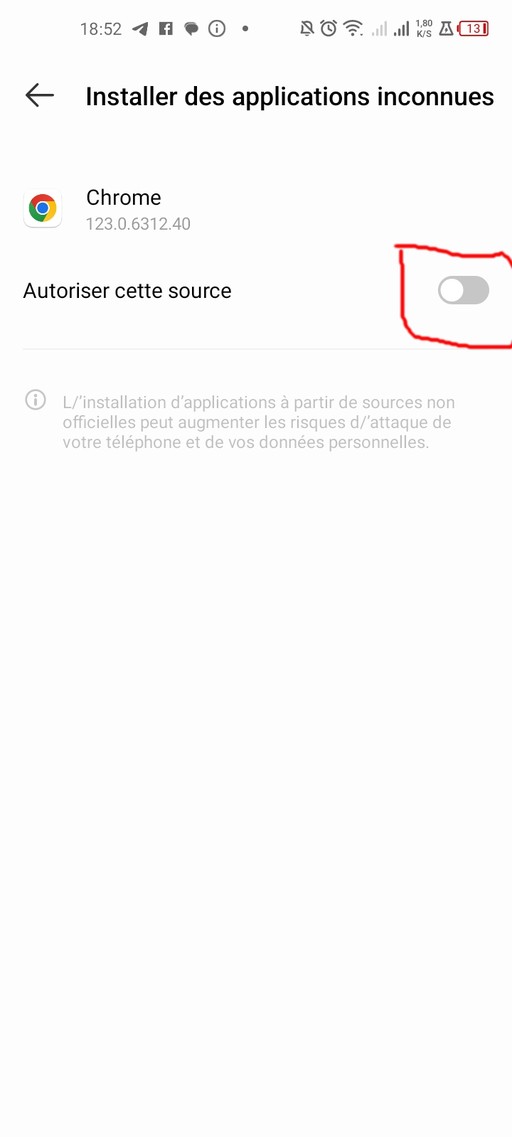
Click on the switch to activate the source. The installation will start directly after that. If it doesn't go back to the Downloads list then click on the univlib's apk file again.

7. Launch installation

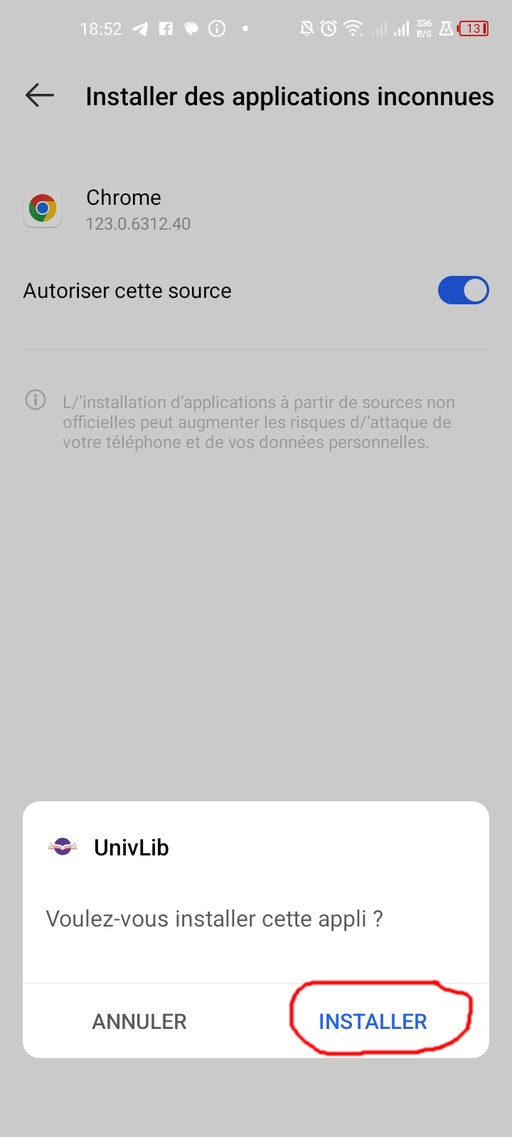
Click Install to launch the installation and wait until it finishes.
If it fails, first check you have enough space if your phone. Free atleast 100Mo if not.
If you have enough space, go back to the first step and pick another APK file.

8. Open the app

Click Open to open the app.
Congratulations!